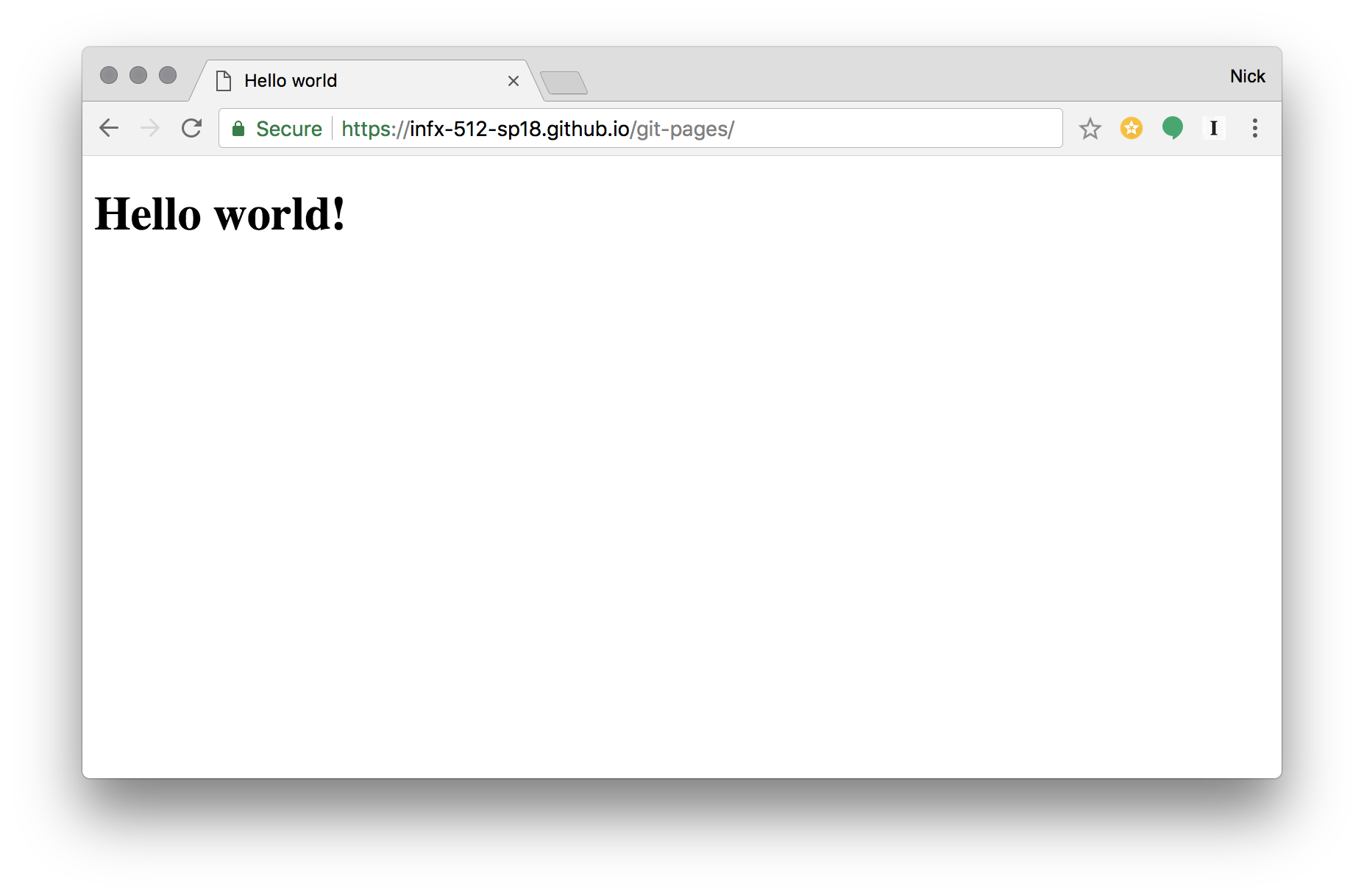
Publishing to GitHub pages
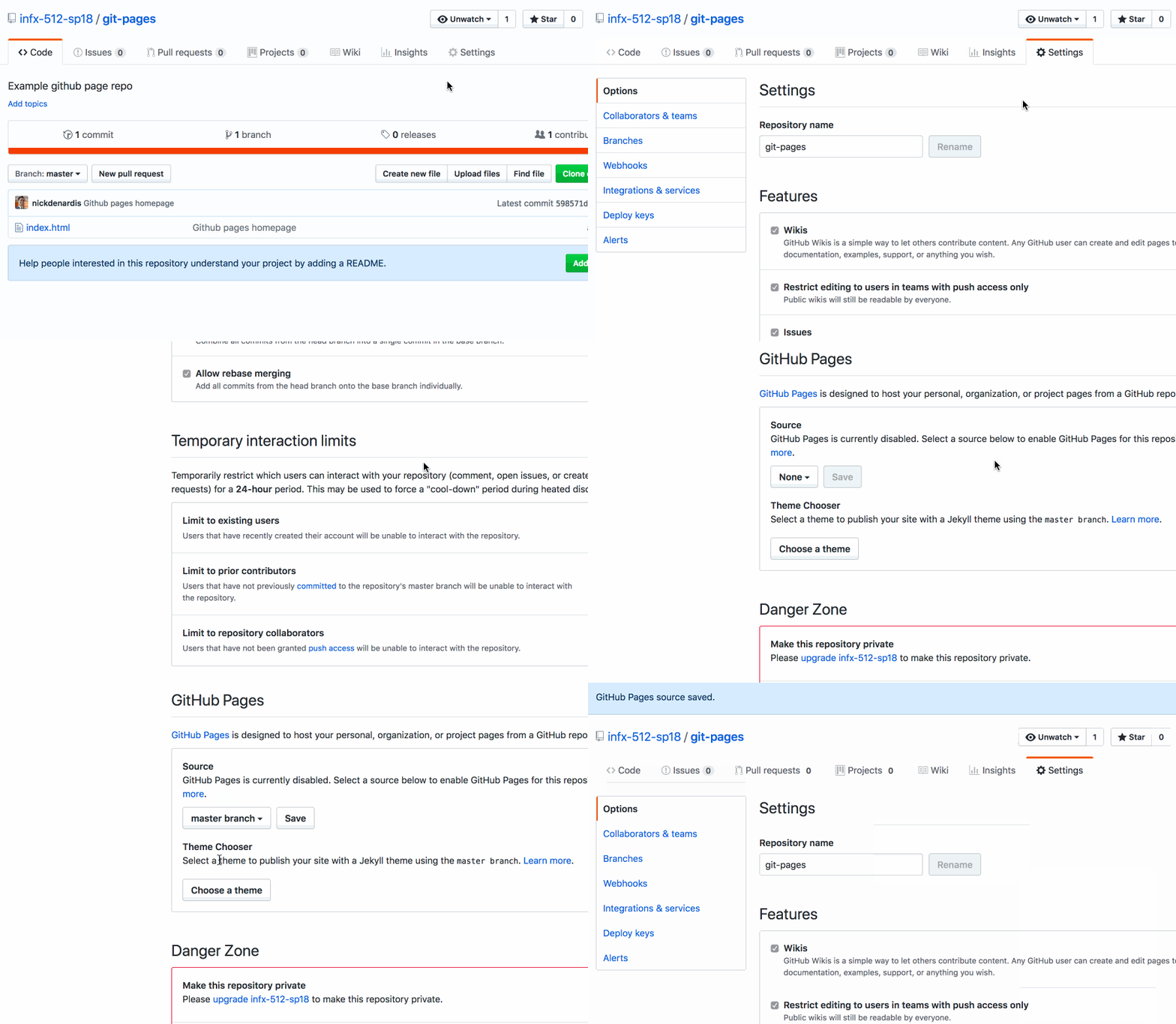
You can configure GitHub Pages to publish your site's source files from
master,
gh-pages, or a
/docs folder on your
master branch for Project Pages and other Pages sites that meet certain criteria.
If your site is a User or Organization Page that has a repository named
<username>.github.io or
<orgname>.github.io, you cannot publish your site's source files from different locations. User and Organization Pages that have this type of repository name are only published from the
master branch.
Create a branch to publish
After you've created either a
master or
gh-pages branch, you can set one as your publishing source so that your site will be published.
If you fork or upload your site repository with only a
master or
gh-pages branch, your site's source setting will automatically be enabled for that branch.
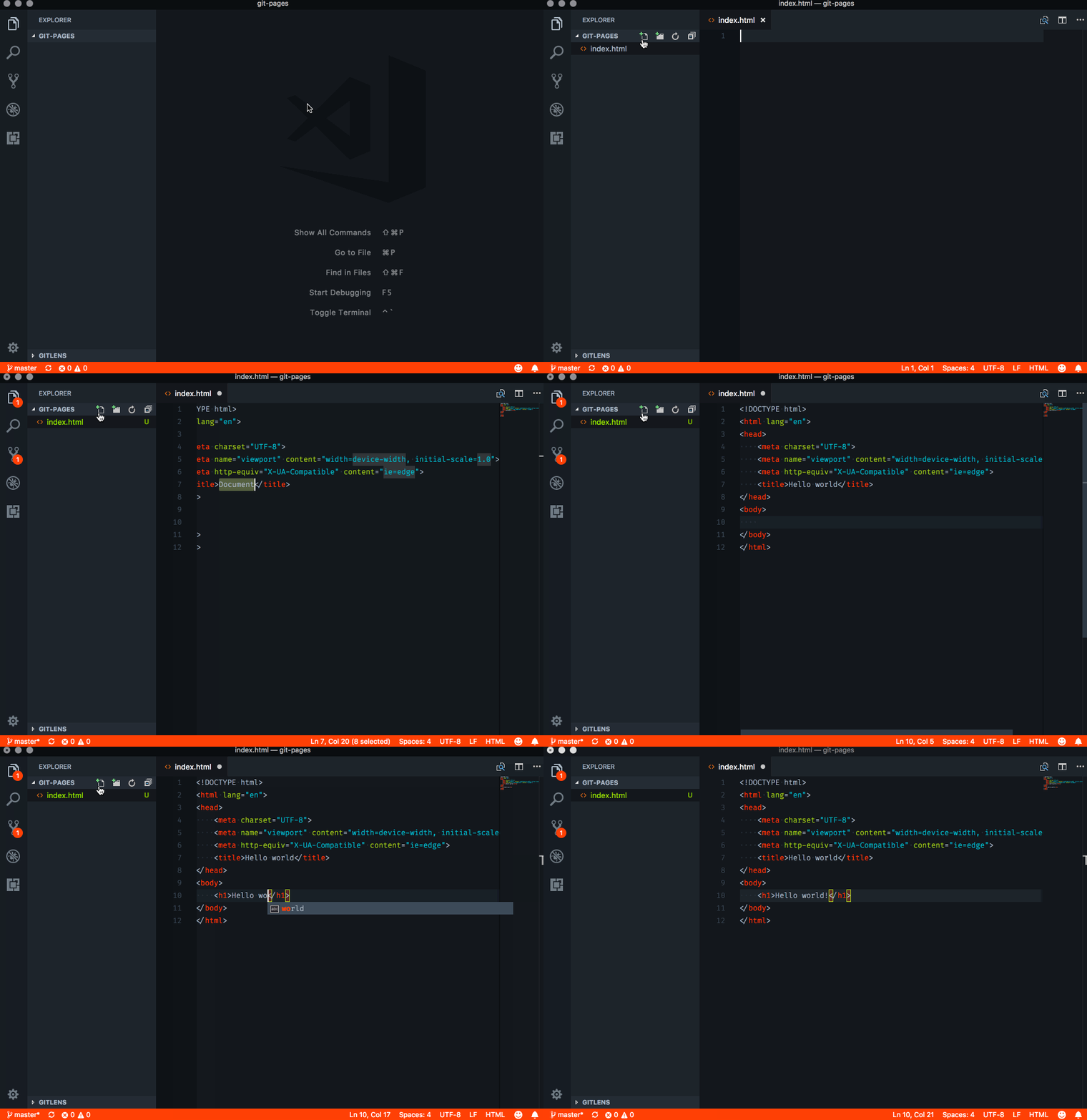
Create an
index.html page
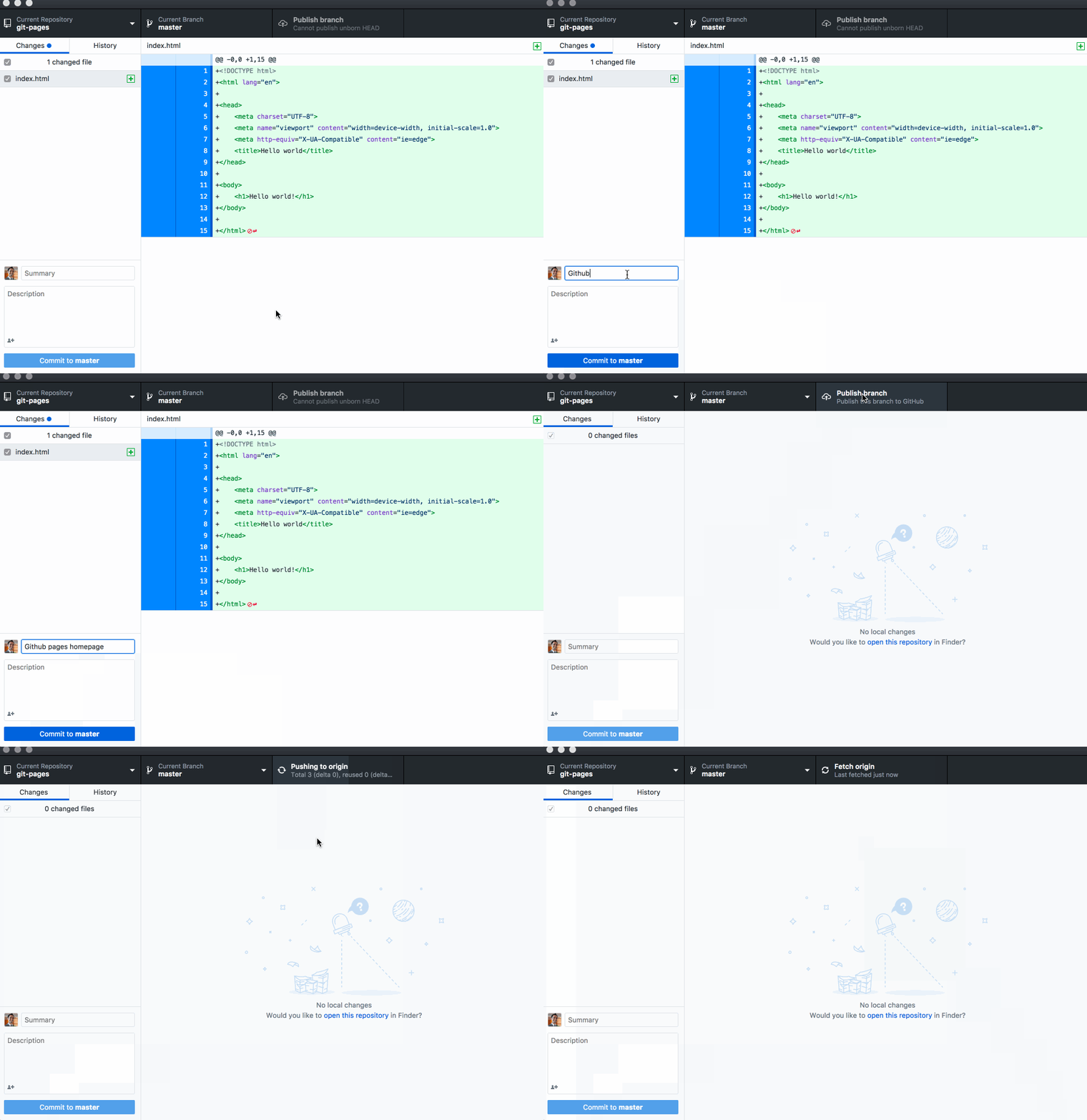
Push the master branch to GitHub
Change setting in GitHub
View the page in a browser
https://[orgname].github.io/[reponame]